How to Choose the Best WordPress Hosting for Your Business Website in 2026
Choosing a WordPress hosting company isn’t particularly exciting. I know. You’d probably rather be choosing your website design, writing your About page, or deciding which photographs you’re going to use. But your hosting is one of those decisions you don’t really appreciate until something goes wrong. A website that takes five seconds to load. A…
Choosing a WordPress hosting company isn’t particularly exciting.
I know.
You’d probably rather be choosing your website design, writing your About page, or deciding which photographs you’re going to use.
But your hosting is one of those decisions you don’t really appreciate until something goes wrong.
A website that takes five seconds to load. A server that keeps going offline. A WordPress update that breaks the site. A hosting company that suddenly wants three times what you originally paid. Or, worst of all, discovering that your website hasn’t been backed up properly when you actually need to restore it.
Your hosting sits underneath everything else.
So while it might not be the most glamorous part of having a website, choosing the right hosting can make a surprisingly big difference to the performance, security, reliability, and long-term cost of your website.
And in 2026, there’s a little more to consider than simply looking for the cheapest WordPress hosting package you can find.
Let’s start with the basics.
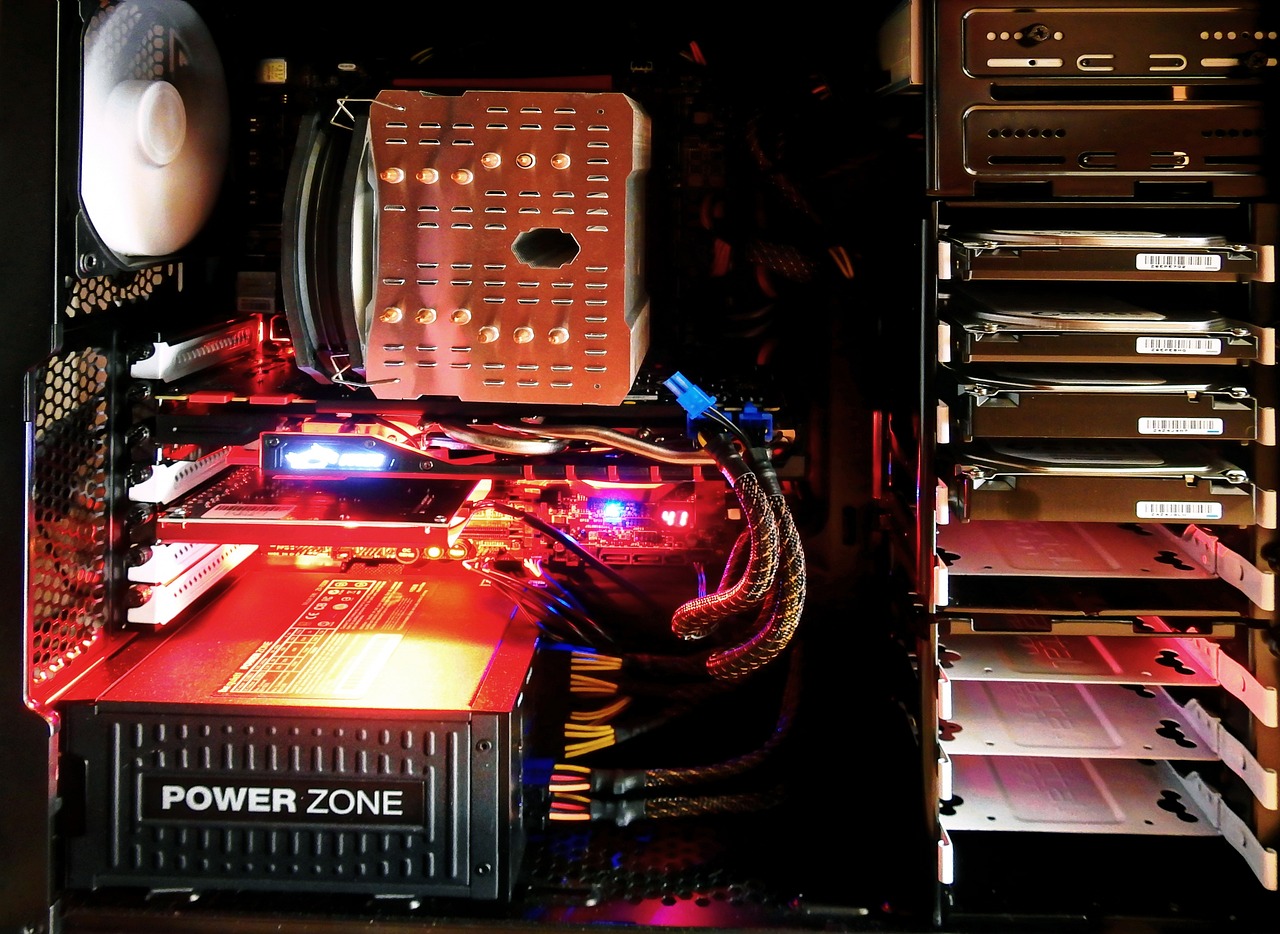
WordPress hosting is the service that provides the server space and technology your WordPress website needs to operate.
When somebody types your domain name into their browser, their browser needs to connect to a server where your website’s files, database, images, and other resources are stored. The hosting company provides that infrastructure.
Think of your domain name as your business address, WordPress as the building, and your hosting as the land, utilities, and infrastructure underneath it. You need all three for the website to work properly.
There are several different types of hosting available, including shared hosting, managed WordPress hosting, VPS hosting, cloud hosting, and dedicated servers.
But here’s something important: you probably don’t need the most expensive option.
A small local business website doesn’t need the same hosting setup as Amazon, a large membership platform, or an online shop processing thousands of orders every day. The trick is choosing hosting that is appropriate for your website rather than simply buying the biggest package available.
1. Don’t choose hosting based on price alone
Price is obviously important, especially if you’re a small business. But there’s a difference between cheap hosting and good-value hosting. A £3-a-month introductory offer might look fantastic until you discover that the price increases significantly when you renew. Some hosting packages also advertise huge amounts of storage, unlimited websites, or unlimited bandwidth that you may never actually use.
Instead of asking “What’s the cheapest WordPress hosting?”, I’d ask “What am I actually getting for my money?”
Look at the renewal price. Look at the resources available. Look at the backup system. Look at the security features. Look at the support. Look at the server technology. And look at what happens if something goes wrong.
A few pounds saved each month isn’t particularly useful if you’re spending hours trying to fix a broken website.
2. Make sure the server technology is up to date
This is one area where you shouldn’t cut corners.
WordPress currently recommends hosting environments using PHP 8.3 or newer, with MySQL 8.0+ or MariaDB 10.11+, together with HTTPS. WordPress also recommends modern Apache or Nginx server environments.
Why does this matter? Because your hosting environment affects both security and performance. PHP is the programming language that WordPress runs on. Older versions eventually become unsupported and stop receiving security updates.
That doesn’t mean an old PHP version will immediately make your website explode. It does mean you’re running on increasingly outdated infrastructure. For a new website in 2026, there’s little reason to deliberately choose an old server environment.
I’d also recommend checking whether your hosting company makes it easy to change PHP versions when required. A good host shouldn’t leave you stuck on an outdated configuration.
3. Website speed matters — but hosting isn’t the whole story
There’s an old habit in the web design world of blaming hosting for every slow website. That’s not entirely fair.
Hosting matters, but it isn’t the only thing that matters. A WordPress website can be slow because of enormous images, badly written plugins, excessive JavaScript, poor website design, third-party scripts, inefficient themes, or a lack of caching. Your hosting is simply one part of the equation.
That said, a good hosting environment gives you a much better foundation to work from. Google’s Core Web Vitals continue to focus on three key areas:
LCP (Largest Contentful Paint): how quickly the main content becomes visible
INP (Interaction to Next Paint): how responsive the page is when somebody interacts with it
CLS (Cumulative Layout Shift): how stable the page is while it loads
Google’s current guidance recommends an LCP of 2.5 seconds or less, INP below 200 milliseconds, and CLS below 0.1 for a good experience.
And this isn’t simply about pleasing Google. People don’t like slow websites. If somebody clicks your website and sits staring at a blank screen, they can quite easily click the back button and go somewhere else. That’s a lost visitor. Potentially a lost customer.
4. Look for proper caching
Caching is one of the most important technologies to look for when choosing WordPress hosting.
In simple terms, caching allows frequently requested information to be stored and served more efficiently rather than rebuilding everything from scratch every time somebody visits your website.
Good WordPress hosting may provide server-level caching alongside other optimisation features. This can be considerably better than simply installing five different optimisation plugins and hoping for the best.
And that’s something I see quite often. A website is slow, so somebody installs another plugin. Then another. Then another. Before long, the website has a collection of optimisation plugins fighting with each other.
More plugins don’t automatically mean a faster website. A properly configured hosting environment can remove a lot of unnecessary complexity.
5. Does the hosting include a CDN?
A CDN, or Content Delivery Network, can help deliver website resources from servers geographically closer to your visitors. This becomes particularly useful if your audience is spread across different regions or countries.
For a small UK business whose customers are almost entirely in the UK, you don’t necessarily need the most sophisticated global CDN infrastructure available. But if you’re running an international website, online store, or content-heavy site, CDN support can become considerably more valuable.
Again, it’s about matching the technology to the website — not buying technology because it sounds impressive.
6. Check the backup system carefully
This is one of the questions I would ask before buying hosting: “How exactly is my website backed up?”
Not “Do you offer backups?” Those are two very different questions.
You want to know:
- How often are backups taken?
- How long are they retained?
- Are both the database and website files included?
- Are backups stored separately from the live website?
- Can you restore the entire website?
- Can you restore individual files?
- How easy is the restoration process?
- Can you actually access your backups?
A backup that exists but takes three days and a support ticket to restore isn’t particularly useful when your website is broken at 10pm on a Friday.
For important business websites, I also prefer having an additional backup strategy rather than relying entirely on the hosting company’s backup system. Your website is a business asset. Treat it like one.
7. Security should be part of the hosting package
WordPress is extremely popular. That’s one of its biggest strengths. It’s also one reason WordPress websites are attractive targets for automated attacks.
Good hosting should therefore provide a sensible security foundation. Look for things such as:
- SSL/HTTPS support
- Server-level firewalls
- Malware monitoring or scanning
- Protection against common attacks
- Account isolation
- Secure file permissions
- Two-factor authentication where available
- Automatic security updates or tools to help manage updates
- Reliable backups
The hosting company doesn’t need to promise that your website will never be attacked. No serious company can guarantee that. What matters is having sensible protection and a recovery plan.
8. Find out what happens when WordPress breaks
This is where the difference between hosting companies can become painfully obvious.
Everything works beautifully until it doesn’t. A plugin conflicts with WordPress. An update causes an error. Your website suddenly displays a blank screen. Your database becomes corrupted. Your site is hacked. And now you need help.
Who are you actually going to speak to?
Some hosts provide generic technical support. Others specialise heavily in WordPress. Neither is automatically right for everyone. But if you’re a business owner who doesn’t want to spend Saturday afternoon investigating PHP errors, good support can be worth paying for. This is particularly important if you don’t have your own developer.
You’re not simply buying server space. You’re buying access to infrastructure that your business relies upon.
9. Look at the server location
If your customers are primarily in the UK, having your website hosted reasonably close to your audience can make sense. Server location isn’t some magical SEO switch. Putting your website on a server in London isn’t suddenly going to make Google rank you above your competitors. But physical distance can influence network latency and performance. More importantly, you want to understand where your data is being stored and what jurisdictions and contractual arrangements apply. If you’re operating a UK business, don’t be afraid to ask your hosting company where your website and backups are physically stored.
10. Don’t ignore your hosting control panel
You may not care whether your host uses cPanel, Plesk, or its own custom dashboard. And that’s perfectly fine. The name of the control panel isn’t what matters. What matters is whether you can actually manage your website without needing a computer science degree. Can you:
Create email accounts if email is included?
- Manage domains?
- Create databases?
- Change PHP versions?
- Install SSL certificates?
- Create and restore backups?
- Manage staging sites?
- Access files?
- Review resource usage?
- Set up redirects?
- Manage DNS?
A clean, sensible dashboard can make your life considerably easier.
11. Staging websites are incredibly useful
If you’re running a business website, staging is a feature worth having.
A staging website is essentially a private copy of your website where you can test changes before pushing them live. For example, you might want to update WordPress, test a new plugin, change your theme, make significant design changes, or test a new feature.
Instead of experimenting directly on your live website, you can test it separately. That can dramatically reduce the risk of breaking your production website, particularly useful for websites that are regularly updated.
12. Think carefully about email hosting
Here’s one that often gets overlooked. Your website hosting and your business email don’t necessarily need to be with the same company. In fact, separating them can sometimes make sense.
Your website could be hosted with a specialist WordPress host while your email is handled through a dedicated business email provider. This means that if you move your website to another host, you’re not necessarily moving your email system at the same time. It also means you can choose the best service for each job rather than trying to find one company that does absolutely everything. One company doing everything isn’t automatically better.
13. Understand what “unlimited” actually means
“Unlimited websites.” “Unlimited storage.” “Unlimited bandwidth.” It sounds fantastic. But whenever you see the word unlimited, read the small print. Servers still have finite CPU, RAM, storage, and network capacity. Hosting companies use fair-use policies, resource limits, and other restrictions to manage shared infrastructure.
There’s nothing inherently wrong with that. It’s simply worth understanding what you’re actually purchasing. I’d much rather have a clearly defined hosting package with sensible resources than an apparently unlimited package that becomes problematic when the website starts growing.
14. Make sure the hosting can grow with your business
Your website might be small today. That doesn’t mean it will stay small.
Maybe you’ll eventually add an online shop, membership functionality, online bookings, a large blog, courses, customer accounts, downloads, a large product catalogue, more traffic, or multiple websites.
Your hosting doesn’t need to support all of this from day one. But it should give you a sensible upgrade path. Moving from a small shared hosting account to a more powerful environment shouldn’t mean rebuilding your entire website from scratch.
Good hosting makes growth easier.
15. Managed WordPress hosting can be worth paying for
Managed WordPress hosting is essentially hosting where more of the technical administration is handled for you. Depending on the provider, that can include:
- WordPress updates
- Caching
- Backups
- Security monitoring
- Performance optimisation
- Staging environments
- Migration tools
- Technical support
This can be particularly attractive for business owners who want to concentrate on running their business rather than maintaining servers.
It costs more than bargain-basement shared hosting. But that’s the point. You’re paying for convenience, infrastructure, and expertise. If your website generates leads or sales for your business, the cost of reliable hosting can be tiny compared with the cost of the website being unavailable.
16. Don’t confuse hosting with SEO
There’s another myth worth clearing up: buying expensive hosting won’t automatically make your website rank higher in Google.
There is no magic “SEO hosting” package that suddenly sends your website to position one. Hosting can influence technical aspects of your website, including performance, availability, and security. Those things contribute to the overall quality of the experience. Google’s own documentation makes it clear that Core Web Vitals are part of the wider page experience picture, alongside factors such as mobile usability, HTTPS, and avoiding intrusive experiences.
But hosting isn’t a substitute for good content, search intent, technical SEO, a properly structured website, internal linking, relevant authority, useful information, local SEO, or a strong brand. You still have to do the actual SEO work.
17. What type of hosting does a small business actually need?
For most small business websites, you don’t need a dedicated physical server. You probably don’t need an enormous cloud infrastructure either. A good-quality shared or managed WordPress hosting package is often perfectly adequate.
For example, a typical small business website might have a handful of pages, a blog, a contact form, some images, several plugins, a few thousand visitors each month, and perhaps some integrations. That doesn’t require a monster server.
What it does require is reliable infrastructure that is properly configured. If your website starts generating significant traffic, selling products, or running resource-intensive applications, that’s when you can start looking at more powerful hosting.
18. Questions to ask before buying WordPress hosting
Before handing over your card details, ask the hosting company:
- What PHP versions do you support?
- What database versions do you use?
- Where are your servers located?
- Do you provide server-level caching?
- Is a CDN included?
- How frequently are backups taken?
- How long are backups retained?
- Can I restore a backup myself?
- Do you provide malware protection?
- Is SSL included?
- Can I create a staging website?
- What happens if my website is hacked?
- What happens if an update breaks my site?
- What support is included?
- What will I pay when the introductory period ends?
- Can I easily upgrade if my website grows?
If the answers aren’t clear, that’s a warning sign.
19. My approach to choosing hosting
When I’m looking at hosting for a business website, I don’t start with the cheapest monthly price. I start with the website.
What does it need? Who is going to visit it? Where are those visitors located? How much traffic is expected? Is it selling anything? Does it need WooCommerce? Does it need membership functionality? How frequently will it be updated? Who will maintain it? How important is the website to the business?
Those questions tell you what kind of hosting you actually need. A five-page brochure website for a local tradesperson and a busy WooCommerce store shouldn’t necessarily be sitting on the same hosting package. The right hosting is the hosting that fits the job.
So, what is the best WordPress hosting in 2026?
There isn’t one answer. And anyone who tells you there is probably trying to sell you something.
The best hosting depends on your website, your budget, your technical ability, and the importance of your website to your business.
For a straightforward small business website, I’d prioritise:
- Reliable performance
- Modern server technology
- Good WordPress compatibility
- Automatic backups
- Security
- Caching
- Good support
- A sensible upgrade path
- Transparent pricing
And most importantly, I’d choose a provider that makes it easy to recover when something inevitably goes wrong. Because that’s the real test of hosting, not how impressive the sales page looks when everything is working, but what happens when something isn’t.
Final thoughts
Your hosting isn’t something your customers will ever compliment you on. Nobody is going to walk into your office and say “fantastic choice of server infrastructure.”
And that’s fine. Good hosting is supposed to be boring. It should sit quietly in the background while your website loads quickly, stays online, gets backed up, and does what it’s supposed to do. That’s exactly what you want.
You don’t need the biggest hosting package. You don’t need every feature under the sun. And you certainly don’t need to spend a fortune just because somebody has convinced you that “premium hosting” is an essential SEO strategy.
You need reliable hosting that’s appropriate for your website and your business.
Get that right, keep WordPress and your plugins maintained, keep your backups working, and you’ve got a much stronger foundation for everything else you’re trying to achieve online.
And if you’re currently choosing hosting for a new WordPress website, don’t start by asking “Which host is cheapest?” Start with: “What does my website actually need?” That’s a much better question.